
Note AI: Smart Note Taker
HubXProductivity
4.4170.00 Reviews
- Version
- 2.1.7
- Installs
- 500.00K
- Age Rating
- Everyone
Screenshots
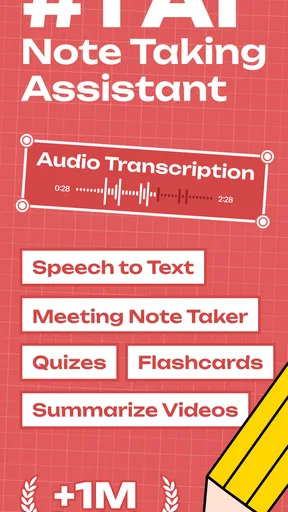
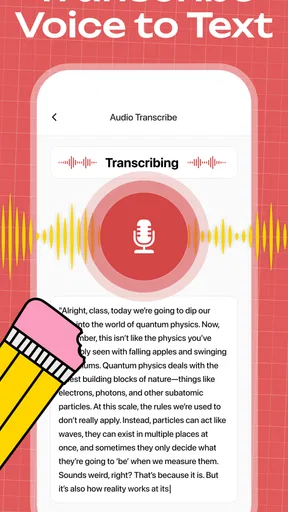
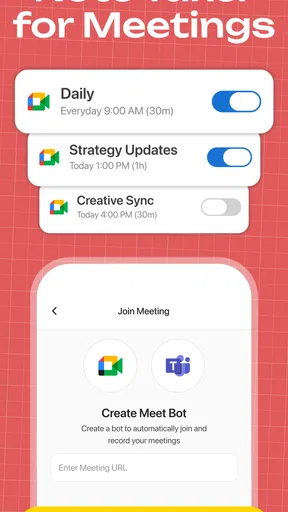
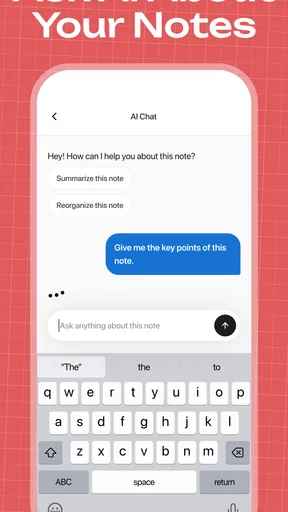
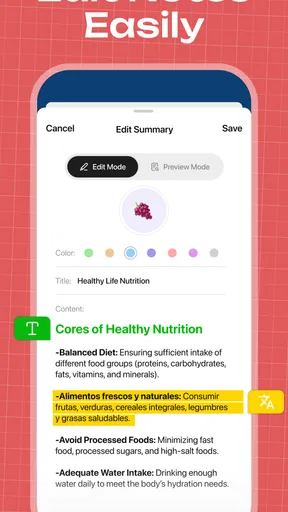
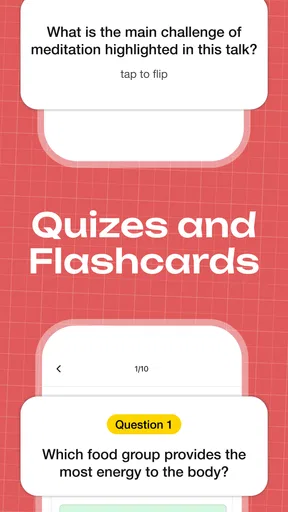
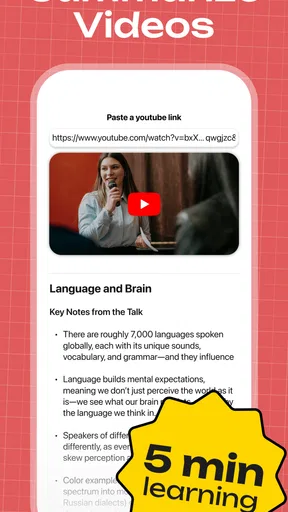
Our Review of Note AI: Smart Note Taker
 Analysis by Appyee
I tend to judge note-taking apps by what happens after the meeting, class, interview, or sudden idea ends. Recording is easy; turning that recording into something I can actually use is the difficult part. Note AI: Smart Note Taker, developed by HubX, takes a focused approach to that problem by combining audio transcription with AI-assisted notes. In my experience, its appeal is less about replacing every writing tool on my phone and more about reducing the awkward gap between listening and organizing.
This is a free productivity app for Android and iOS, with optional in-app purchases ranging from $6.99 to $99.99 per item. It is rated for Everyone, requires operating system version 12 or later, and the current version is 2.1.7. The app was released on February 28, 2025, so it is still a relatively young product rather than a long-established office suite. That matters: I see a promising, practical tool here, but also one that should be judged by its present workflow instead of assumptions about where AI note-taking may go.
How Note AI feels in everyday use
The central experience is straightforward. I can use the app when I want spoken material turned into written information, then use AI help to make that information easier to review. That makes it suitable for situations where typing everything would distract me from the conversation. A quick voice memo, a discussion with several points, or a lecture-style explanation can become a more useful starting point than a raw audio file.
The important distinction is that transcription and note-taking are not exactly the same job. A transcript tries to preserve what was said. A useful note tries to reveal what matters. Note AI is most interesting when those two stages work together: first capturing the spoken content, then helping me approach it as a summary, reference, or action-oriented record. I would not treat the result as automatically perfect, but I would treat it as a way to avoid starting from a blank page.
That makes the app especially attractive to people who think more clearly while listening than while typing. Students can concentrate on an explanation instead of racing to copy every sentence. Freelancers can capture client discussions before turning them into tasks. Someone preparing for an interview can keep a searchable written version of an important conversation. Even a person who regularly thinks aloud may find that a spoken idea becomes easier to refine once it has been converted into text.
A realistic meeting workflow
Imagine a small project meeting in which several decisions are made, but nobody has time to write polished minutes. I would use Note AI as a capture layer rather than pretending it is the final record. After the conversation, I would review the generated text, correct names or technical terms, and separate decisions from background discussion. Then I would move the cleaned result into my usual task manager or document.
That last step is important. The app can help me create a first draft of meeting notes, but I would still verify who agreed to do what and when it is due. AI-generated organization can make a conversation look tidy while quietly missing a qualification or misunderstanding a speaker. My practical advice is to use the app for speed, then reserve a few minutes for human checking before sharing the notes with colleagues.
A less obvious use is preparing follow-up questions. After transcription, I can scan for statements that sound incomplete, decisions that lack an owner, or topics that were mentioned without resolution. This is where the app can be more valuable than a conventional voice recorder: the written form makes gaps visible. It does not remove the need for judgment, but it gives me a much faster surface on which to apply it.
Where it helps more than ordinary notes
Traditional note-taking apps are excellent when I already know what I want to write. A blank page gives me control, clean formatting, and predictable editing. The weakness is that I must do the listening, selecting, and writing at the same time. Note AI changes that balance. I can capture first and shape later, which is useful when the speaker moves quickly or when the subject is unfamiliar.
A regular recorder has the opposite strength. It preserves the original sound, which is valuable when tone or exact wording matters, but it leaves me with a long file to revisit. Searching by memory through an audio recording is slow. Transcribed text gives me a quicker way to locate a topic and decide which parts deserve attention.
Dedicated transcription services may be a better fit for users who need specialized controls, extensive export options, or a highly mature professional workflow. Note AI makes more sense for someone who wants transcription and AI note assistance in one mobile experience without assembling several separate tools. The trade-off is that convenience should not be confused with complete editorial control.
Three practical habits that improve the result
My first recommendation is to record with the final use in mind. If I know the audio will become a project summary, I try to say names, decisions, and next steps clearly during the conversation. That small habit helps the later note-making stage because the source material has structure. An app can organize speech, but it cannot reliably reconstruct information that was never stated clearly.
Second, I would keep a short personal vocabulary check after transcription. Names, product terms, abbreviations, and mixed-language phrases are the areas most likely to need attention. Rather than proofreading every line equally, I would focus on the words that could change meaning. This is a more efficient review method than reading the entire transcript with the same level of suspicion.
Third, I would separate capture from publication. A generated note is useful as a working draft, not automatically as a message to a client, a formal academic submission, or a permanent business record. I would remove conversational filler, confirm factual details, and mark uncertain portions before sharing. This workflow preserves the app’s speed while avoiding the false confidence that polished AI text can create.
What the current version means for users
The current version, 2.1.7, gives the app a concrete point in its development. Because Note AI arrived on February 28, 2025, I see it as a product in an active early phase. The version number suggests ongoing refinement, but I would not read that alone as proof of any particular feature change. What I can say from using the current experience is that the product’s identity is clear: it is built around turning spoken input into more manageable written notes rather than trying to become a full replacement for every productivity app.
For someone already using it, the sensible approach is to treat updates as part of a moving workflow. Keep important notes backed up in the place where you normally store them, and do not make the app the only location for information that would be difficult to recreate. This is not a criticism unique to Note AI; it is simply good practice for any young tool that sits between raw recordings and important records.
The app’s popularity gives it some useful momentum. It has passed 500 thousand installs, with an average rating of 4.4 from around 13 thousand ratings and 170 written reviews. I read that as evidence that the basic idea is resonating with many people, while also remembering that ratings cannot tell me whether the app fits a particular accent, meeting environment, subject area, or privacy expectation.
The free entry point is helpful for testing the workflow before committing. I would begin with a low-stakes recording: a personal idea, a short planning session, or a non-sensitive explanation. That lets me see whether the transcription style and AI organization match my habits. The optional purchases are substantial at the upper end, so I would only consider paying after I had established that the app saves me enough time to justify the cost.
Who should try it first
I would recommend Note AI to people who regularly postpone note-taking because writing while listening feels disruptive. It is also a good candidate for students who want a second layer of support after class, independent workers who need quick records of client conversations, and busy users who collect ideas through voice rather than typing. The app is most useful when the user is willing to review and shape the result instead of expecting a flawless finished document.
It may also help people who want to compare what they remember with what was actually said. Memory tends to compress conversations into a few impressions. A transcript can expose details I forgot, while an AI-assisted note can make those details easier to group. I would still avoid using that convenience as a reason to record every situation automatically; the right use depends on the people involved and the context.
Who should choose another tool
I would skip it if I need a highly controlled writing environment more than automatic capture. Someone who already takes excellent structured notes may find transcription adds clutter rather than value. Likewise, users who need a specialized professional transcription workflow should compare Note AI with tools designed specifically around their field and required output.
I would also be cautious if my recordings regularly contain sensitive information and I am not comfortable placing that material into an AI-supported workflow. The app’s productivity benefit does not remove the responsibility to think about consent, confidentiality, and the rules of the setting where recording takes place. For a private journal or a personal brainstorming session, the decision is simpler; for workplace, medical, legal, or classroom situations, I would check the relevant expectations first.
The gaps I would keep in mind
The biggest limitation is the distance between an accurate transcript and a dependable note. Even when the words look convincing, context can be lost. A speaker may be joking, correcting themselves, referring to something visible in the room, or using a term that sounds like another word. I would never let the app’s neat presentation replace a review of important material.
There is also a workflow trade-off in using a mobile app for serious organization. Note AI can help me get from audio to text, but my long-term system may still be a calendar, task manager, or document editor. That means the app works best as a front end for capture and interpretation, not necessarily as the only home for every result. Users who want one all-in-one workspace may find that moving cleaned notes elsewhere is an extra step.
The free model is another point to examine carefully. Since optional purchases can reach $99.99 per item, I would not assume that every useful level of ongoing use will remain equally comfortable for every budget. Before relying on it for frequent meetings or study sessions, I would test how the free experience fits my volume and decide whether the paid route represents real value for me.
What I would watch as the app develops
For future updates, I would pay attention to whether Note AI becomes better at the details that separate a convenient transcription tool from a dependable assistant: handling specialized vocabulary, keeping speaker context clear, making corrections painless, and fitting smoothly into the rest of a user’s productivity system. Those are the areas that would most affect my willingness to use it for important work.
I would also watch how the app balances automation with user control. Fast summaries are useful, but the ability to inspect the original wording, correct mistakes, and understand how a note was formed matters just as much. The strongest direction for this product would be one that saves time without hiding uncertainty behind overly confident prose.
After testing the current experience, I see Note AI: Smart Note Taker as a practical capture companion rather than a magic secretary. Its best quality is the way it lowers the effort needed to turn spoken material into a workable draft. Its main weakness is the temptation to trust that draft too quickly. Use it to accelerate the first pass, then apply your own judgment to the final note.
With its Everyone rating, free starting point, and clear focus on transcription and AI-assisted note-making, it is easy to try for everyday productivity. I would recommend it to anyone whose ideas and conversations move faster than their fingers. I would not recommend making it the sole authority for sensitive or high-stakes information. For the right user, the time saved during capture can be meaningful; for someone who already has a disciplined manual system, a conventional notes app may remain simpler.
Overall, I think HubX has built a useful early-stage productivity app with a sensible purpose. The current release is worth exploring through ordinary, low-risk scenarios first. If the product continues improving the handoff between transcript, summary, correction, and long-term organization, it could become a more dependable part of a daily workflow. For now, I would install it as a fast way to get spoken thoughts onto the page, while keeping the final responsibility for accuracy and meaning firmly in my own hands.
Verdict
Strengths of Note AI: Smart Note Taker
- Converts spoken conversations into organized notes quickly.
- Useful summaries help review meetings, lectures, and interviews.
- Search makes it easy to find details across saved notes.
- Supports hands-free note capture while multitasking.
- Clean layout keeps recordings, transcripts, and notes together.
Limitations of Note AI: Smart Note Taker
- Transcription accuracy may drop with accents or background noise.
- AI summaries can omit context or misinterpret important details.
- Some advanced features may require a paid subscription.
- Recording conversations may raise privacy and consent concerns.
- Long audio files can consume considerable storage and data.
Other Releases by HubX
View All
Home AI - AI Interior Design
Lifestyle4.3

DaVinci - AI Image Generator
Art & Design3.6

AI Video - AI Video Generator
Photography4.5

MyTunes : AI Music Generator
Entertainment4.3
Similar Picks in This Category
View All
Google Calendar
Google LLC4.6

Google Drive
Google LLC4.3

Google Assistant
Google LLC3.9

Microsoft OneDrive
Microsoft Corporation4.6

Samsung Calendar
Samsung Electronics Co., Ltd.4.1

Microsoft OneNote: Save Notes
Microsoft Corporation4.6
Frequently Asked Questions
What is Note AI: Smart Note Taker used for?
Note AI: Smart Note Taker is designed to help you create, organize, and manage digital notes more efficiently. It can be useful for recording ideas, writing meeting summaries, preparing study materials, making to-do lists, and keeping important information in one place. Its AI-focused features may also help users structure or refine notes, depending on the version and tools available on their device.
Does Note AI: Smart Note Taker require an internet connection?
Some basic note-taking functions may work without an internet connection, allowing you to write and review locally stored notes. However, AI-powered tools such as summarizing, rewriting, transcription, or intelligent organization may require online access because processing can take place through cloud services. Availability can vary by feature, app version, and device, so check the app’s permissions and store description before relying on offline use.
Are my notes private and secure in Note AI: Smart Note Taker?
Before saving sensitive information, review the application’s privacy policy and the permissions requested during installation. AI note applications may process text, voice recordings, or uploaded files to provide smart features, and some services may synchronize data with an online account. Avoid entering passwords, financial details, or confidential business information unless you understand how the data is stored, transmitted, and deleted.
Is Note AI: Smart Note Taker free to download and use?
The application may be available to download at no initial cost, but certain advanced tools can be restricted by subscriptions, in-app purchases, usage limits, or premium plans. Features such as extended transcription, larger storage, advanced AI assistance, or ad removal may not be included in the free version. Always check the current pricing, trial conditions, and renewal terms in the Google Play Store or Apple App Store.
Can Note AI: Smart Note Taker replace a traditional note-taking app?
For many users, Note AI: Smart Note Taker can serve as an all-purpose replacement for a basic notes application, especially if you want AI assistance alongside standard writing tools. Nevertheless, the best choice depends on synchronization, export options, handwriting support, voice recording, folder organization, and compatibility with your existing devices. Test the free features first to confirm that its workflow suits your daily needs.
